


Wordscapes Solitaire
4.68.19K Reviews
App Specs
- Version
- 2.9.0
- Updated On
- License
- Free
- Downloads
- 1,000,000+
- Developer
- PeopleFun
- Categories
- Word
- Platform
- Android, iOS
Screenshots
 Analysis by AppCompare
I first picked up Wordscapes Solitaire as a small break between other things, expecting a familiar card game with a word twist. What makes it worth considering is the way those two habits work together: I’m weighing card moves while also looking for useful letter combinations. It suits a short, casual session better than a game that asks for a long stretch of concentration, though its mix of puzzles can still make me pause and rethink a move.
A game that fits into shared downtime
I can picture this working well on a household tablet left in a common room. One person can play a round while waiting for dinner, then hand the device over when they are done. The word element makes it easy for someone nearby to follow along and suggest a possibility, while the solitaire layout still gives the player a clear set of choices. It can turn a quiet wait into a low-pressure shared activity without requiring everyone to learn a complicated control scheme.
That kind of use is different from a competitive word game. There is no need to agree on teams or keep score across a group for the basic appeal to work; the fun is in discussing which move might open the board or which letters could form a word. I would treat suggestions as casual conversation, not as a reason to crowd the player. If someone prefers to solve puzzles privately, it is just as easy to play alone.
Keep the device handoff simple
On a shared device, I would make one small household rule before anyone starts: the person playing should finish their current session before passing the tablet on. That avoids confusion about whose progress or choices are on screen. I would also avoid assuming that a shared device automatically means shared progress. If different people care about keeping their play separate, they should decide who uses the device and when rather than relying on a family profile or account feature.
This is a practical distinction for parents, siblings, or partners. A casual puzzle can be easy to pass around, but a game session still belongs to whoever is currently playing. If a child uses a parent’s phone, for example, agree beforehand whether they can open the game and whether they should ask before making any purchases. The game is free to download, but it offers in-app purchases, so that conversation matters more than the relaxed presentation might suggest.
PeopleFun develops the game, and its current version is 2.2.0. It is listed for devices running Android 7.0 or later. Those details make it easier to check basic compatibility before handing a device around, particularly if one household phone or tablet is older than the others. I would still check the device’s own store page before installing, since compatibility is a device-specific decision.
What the word-and-card mix asks of you
The central appeal is not simply that two genres appear in one game. Solitaire-style choices make the letters feel tied to a board-clearing decision, so I am not only searching for any word I can spot. I also have to think about what a move may do to the remaining layout. That gives the word search a useful bit of tension, but it also means the experience is less pure than a standalone crossword or a straightforward card game.
Worth Reading Before You Choose

Flipboard Shows What News Apps Must Do Beyond the Feed

Switching to Android Auto Means Rethinking Your Driving Routine

Google Calendar Makes a Crowded Week Easier to Manage

Ludo King Makes the Most of the Minutes Between Plans

Baby Panda World Brings Quick Play to Modern Phones, but Its Game Library Feels Busy

ESPN’s Live Game View Makes Following Close Games Easier
When I get stuck, the shuffle option described in the game can help me look at the letters differently. I would use it as a reset for my attention rather than an automatic first move: take a moment to inspect the available letters, try a few likely combinations, and shuffle if my eyes keep returning to the same dead end. That small pause can make a puzzle feel like a fresh search instead of a test of how quickly I can tap.
There is a trade-off here for word-game fans. If you want a quiet, open-ended word search where vocabulary is the whole point, the card decisions may feel like an extra layer between you and the words. If you mainly want conventional solitaire, having letters to assemble changes the rhythm and gives you another thing to track. I think the combination is strongest for someone who enjoys both, but neither half is likely to satisfy a player who wants only one familiar format.
Everyday play, without turning it into a chore
A realistic use for me would be opening a level during a commute wait or while a kettle boils, then stopping when the interruption ends. The game’s gradual rise in challenge gives those brief sessions a sense of progression, while its daily challenges and events can provide a reason to return. I would not treat those recurring activities as a checklist, though. If a daily task turns a relaxing game into an obligation, skipping it is the better choice.
For a shared household, that flexibility is useful. A child can enjoy spotting words with an adult nearby, while a more experienced player can take a turn alone and focus on the strategy. The difficulty may become more demanding as play continues, so I would not assume that every later puzzle will be equally easy for every age or vocabulary level. Offering hints from the side can be more enjoyable than taking over the device.
One useful way to make a short session less frustrating is to separate the two decisions mentally. First ask what move helps the board; then look at the letters that move makes available and search for a word. When I try to solve everything at once, I can overlook a reasonable option. This is not a shortcut or a guaranteed winning method, but it gives the puzzle a clearer rhythm and helps me understand why a move did or did not work.
First Impressions
When you first open Wordscapes Solitaire, the interface is sleek and inviting. It gives off a calming vibe with its soothing color palette, making it perfect for winding down after a long day. The layout is intuitive, so even if you’re not the most tech-savvy person out there, you’ll find your way around easily.
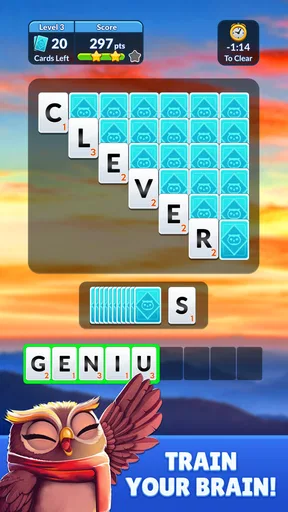
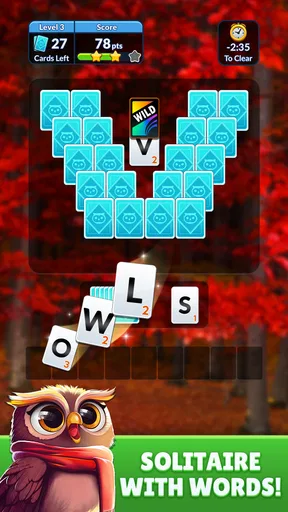
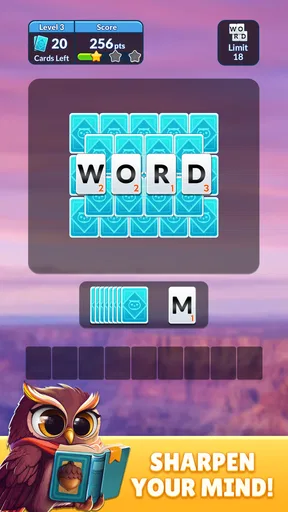
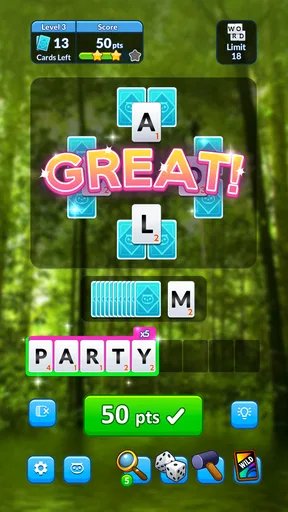
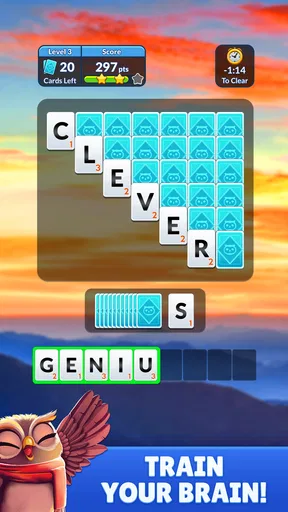
The game combines the traditional solitaire card game mechanics with word puzzle elements. You’ll be flipping cards, sure, but instead of just stacking them by suit, you’re also solving word puzzles along the way. It’s like getting two games for the price of one, and who doesn’t love a good deal?
Gameplay Mechanics
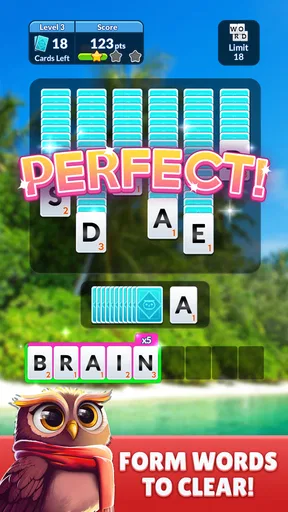
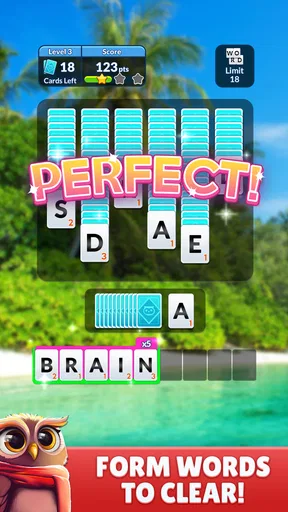
So how does it actually work? You start with a typical solitaire layout, but as you play, you collect letters instead of cards. These letters then form words, adding a whole new layer of challenge to the game. You’ll need to think strategically about which moves will not only help clear the board but also create the most valuable words.
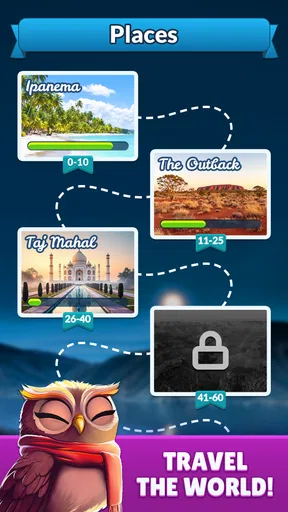
One thing I really appreciated was the option to shuffle letters if you get stuck. It’s a small feature, but it helps prevent frustration and keeps you engaged. Plus, the game offers daily challenges and events, so there’s always something new to tackle.
The Challenge Factor
If you’re worried about the difficulty level, don’t be. The game starts off gently, easing you into the mechanics. But as you progress, the puzzles become more complex, requiring a mix of logical thinking and wordsmithing skills. It’s the perfect balance of brain-teasing fun without being overwhelmingly difficult.
And let’s talk about the satisfaction of finding that perfect word. There’s nothing quite like nailing a high-scoring word and watching your score skyrocket. It gives you that little dopamine hit that keeps you coming back for more.
Visuals and Sound
The visuals in Wordscapes Solitaire are top-notch. The graphics are crisp, and the animations are smooth, enhancing the overall experience. I found the background music to be quite relaxing, though if you’re someone who prefers playing in silence, you can easily mute it in the settings.
The sound effects are subtle yet satisfying, especially when you complete a word or clear a level. It adds to the immersive feel without being distracting.
Final Thoughts
All in all, Wordscapes Solitaire is a fantastic addition to any puzzle lover’s app collection. It’s a game that tests your vocabulary while keeping your strategic thinking skills sharp. Whether you’re a casual gamer looking for something to pass the time or a puzzle enthusiast searching for your next challenge, this app has something for everyone.
So, if you’re ready to dive into a world where words and cards collide, give Wordscapes Solitaire a try. Trust me, you’ll find yourself coming back to it time and time again. Happy gaming!
Who is likely to enjoy it?
The game is a good fit for people who like to alternate between spotting words and planning a sequence of moves. I would recommend it to someone who wants a gentle puzzle to dip into, especially if the usual choice between a word game and solitaire feels limiting. Its average rating is 4.6 from around 217 thousand ratings, and it has more than a million installs, which suggests a substantial audience has tried it, though popularity alone cannot tell you whether its particular blend will suit your taste.
It is free to download and rated for Everyone. That makes it approachable as a casual game, but the age label should not replace a parent’s judgment about a child’s device use. The in-app purchase range runs from a few cents to nearly a hundred dollars per item, so I would check purchase settings on a device used by children or shared with others. A relaxed puzzle can still present a spending decision, and it is sensible to discuss that before someone starts playing.
When another kind of puzzle is better
If you want to build vocabulary through uninterrupted word practice, a dedicated word puzzle may be a better match because it does not ask you to think about card placement at the same time. If you want the familiar pace of classic solitaire, a conventional version will keep the focus on card order rather than adding letter-making. I see this title as a middle ground, not a replacement for either genre: its value is the change of pace between them.
The same distinction matters if you are choosing something for a group. A turn-based board or party word game is better when everyone wants an explicit shared challenge, while this works more naturally as one person playing with occasional input from someone nearby. The game’s household appeal is conversational, not a promise of dedicated multiplayer or family coordination tools.
Making a sensible choice for your household
With more than seven thousand written reviews, it is clear that players have had plenty to say about it, but I would focus less on the crowd response and more on how the two mechanics sound to you. Ask whether you enjoy pausing over letters and whether strategic board choices feel satisfying rather than distracting. If both answers are yes, the blend has a good chance of keeping a short break interesting.
My household verdict is favorable with a little practical caution. I like the idea of passing a device around for relaxed, informal turns, and I appreciate that the game can be played quietly or with conversation around it. I would keep purchase expectations clear, avoid promising separate profiles or shared-progress controls, and let each player decide whether to use the shuffle option. For a free word-and-solitaire game from PeopleFun, it is an inviting option for casual puzzlers; for someone who wants strict classic solitaire, a competitive group game, or a word-only workout, I would choose a more focused alternative.
Pros
- Beautiful and intuitive user interface.
- Smooth gameplay with minimal lag.
- Variety of challenging levels.
- Regular updates with new features.
- Offline play available.
Cons
- Ad frequency can be intrusive.
- Limited rewards without in-app purchases.
- Some levels feel repetitive.
- Occasional bugs in older devices.
- Requires internet for full features.
FAQs for Wordscapes Solitaire
What is Wordscapes Solitaire and how does it differ from traditional solitaire games?
Wordscapes Solitaire combines the classic card game of solitaire with word puzzles, offering a unique twist. Unlike traditional solitaire, where the focus is solely on card arrangement, this game challenges players to solve word puzzles as they progress. This dual gameplay offers a refreshing blend of strategy and vocabulary skills.
Is Wordscapes Solitaire available for both Android and iOS devices?
Yes, Wordscapes Solitaire is available for download on both Android and iOS platforms. This ensures that users with different devices can enjoy the game. You can find it on Google Play Store for Android users and the Apple App Store for iOS users, making it accessible to a wide audience.
Are there in-app purchases in Wordscapes Solitaire?
Yes, Wordscapes Solitaire includes in-app purchases. While the game is free to download and play, it offers optional purchases for hints, extra moves, or to remove ads. These purchases can enhance the gaming experience but are not necessary to enjoy the core gameplay.
How does Wordscapes Solitaire challenge players' vocabulary skills?
Wordscapes Solitaire challenges players by integrating word puzzles into the gameplay. As players advance, they must form words from a given set of letters, testing both their vocabulary and strategic skills. This added layer of complexity keeps the game engaging and educational, appealing to those who enjoy word challenges.
What are the system requirements to play Wordscapes Solitaire?
Wordscapes Solitaire requires a relatively recent device to run smoothly. For Android, it typically requires version 5.0 and up, while iOS users need at least iOS 10.0 or later. Ensuring your device meets these requirements will provide an optimal gaming experience without performance issues.


